

Grouped list
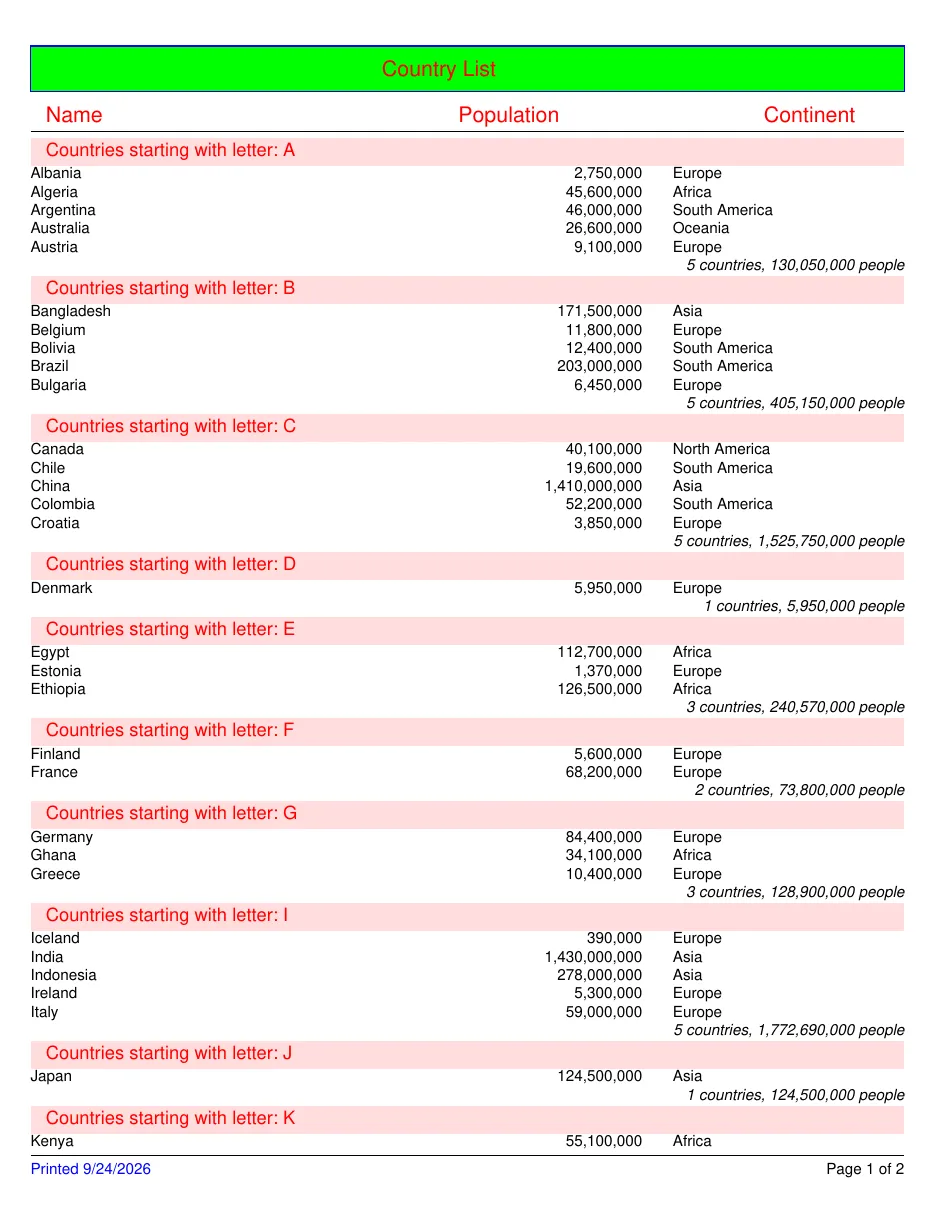
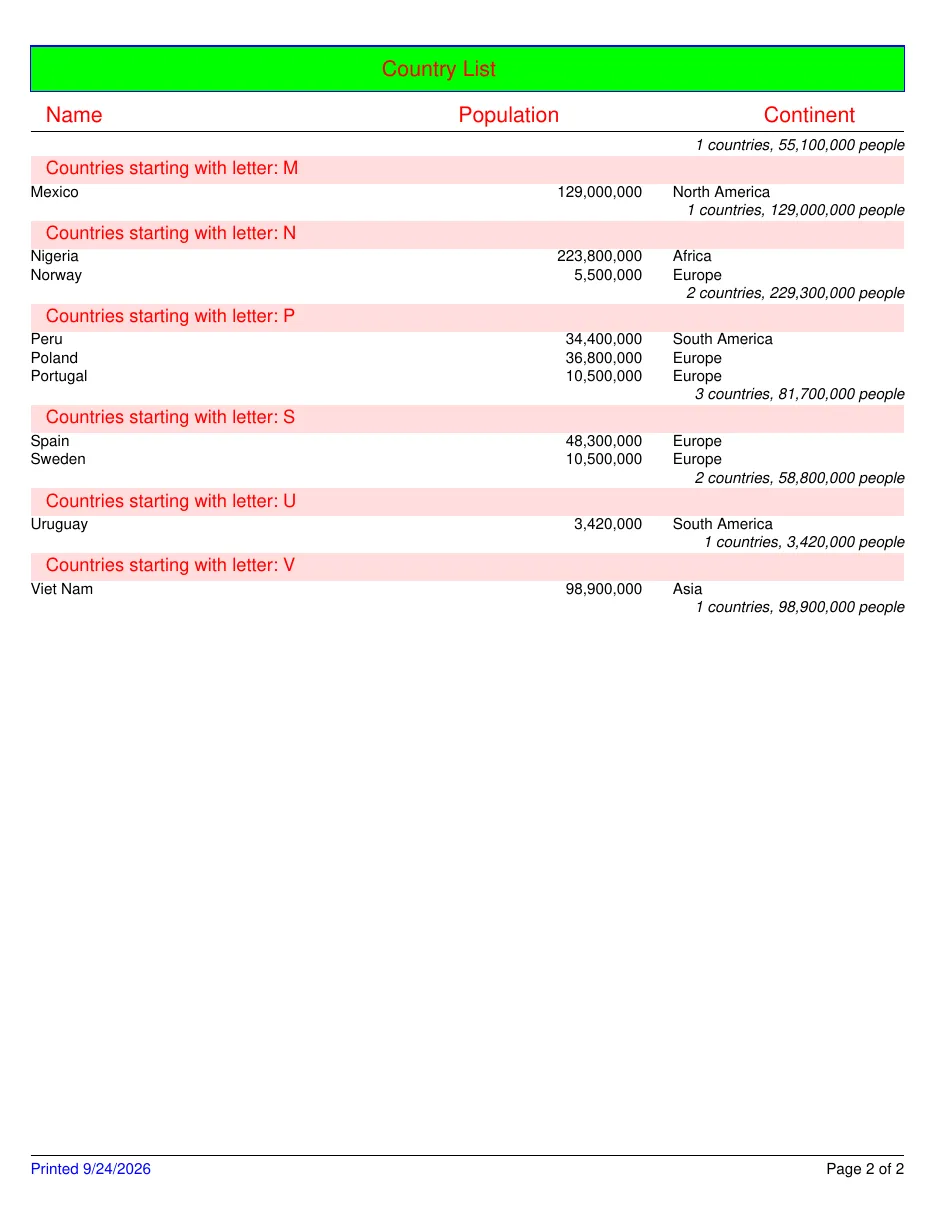
Countries grouped by their first letter, each group with a header and a footer that counts its countries and adds up their population. A parameter filters out the smallest countries; page headers repeat the column titles, and the footer says “page n of m”. When nothing is left after filtering, a “no data” band says so.
What it shows
Section titled “What it shows”- Groups with headers and footers
- Totals per group (
Count,Sum) - A filter from a parameter
- Page headers and footers with “page n of m”
- A “no data” band
The template
Section titled “The template”# yaml-language-server: $schema=../schema/template.schema.json# The 2008 melon-reports WorldPopulation.xml, ported to the v1 format.# Differences from the original: no connection string or SQL (the host supplies rows),# a working group footer with aggregates, and "Page n of m" in the footer.version: 1title: Countries of the Worldculture: en-US
page: size: Letter margins: 20pt
parameters: minPopulation: { type: int64, default: 0 }
data: countries: fields: Name: string Continent: string Region: string Population: int64
styles: base: { font: Helvetica, fontSize: 10pt } heading: { extends: base, fontSize: 14pt, color: "#FF0000" } group: { extends: base, fontSize: 12pt, color: "#FF0000", background: "#FFDDDD", padding: 2pt 10pt }
body: dataset: countries filter: =Population >= minPopulation sort: [Name, Continent]
groups: - name: FirstLetter by: =Upper(Left(Name, 1)) header: - style: group keepWithNext: true bookmark: "{FirstLetter}" content: - { type: text, value: "Countries starting with letter: {FirstLetter}", tag: h1 } footer: - content: - type: text value: "{Count()} countries, {Sum(Population):N0} people" align: right italic: true
pageHeader: # Absolute layout, as in the original, to show what importers of banded formats emit. - layout: absolute height: 70pt content: - { type: rect, x: 0, y: 10pt, width: 100%, height: 30pt, background: "#00FF00", border: "1pt solid #0000FF", tag: artifact } - { type: text, x: 230pt, y: 18pt, value: Country List, style: heading } - { type: text, x: 10pt, y: 48pt, value: Name, style: heading } - { type: text, x: 280pt, y: 48pt, value: Population, style: heading } - { type: text, x: 480pt, y: 48pt, value: Continent, style: heading } - { type: line, x: 0, y: 66pt, width: 100% }
detail: # Flow layout: widths are fractions of the band, text grows instead of overlapping. - layout: row style: base content: - { type: text, value: "{Name}", width: 45% } - { type: text, value: "{Population:N0}", width: 25%, align: right } - { type: text, value: "{Continent}", width: 30%, padding: 0 0 0 20pt }
pageFooter: - layout: row style: base borderTop: "0.5pt solid #000000" padding: 4pt 0 0 0 content: - { type: text, value: "Printed {Today():d}", width: 1fr, color: "#0000FF" } - { type: text, value: "Page {PageNumber} of {TotalPages}", width: 1fr, align: right }
noData: - content: - { type: text, value: "No countries with at least {minPopulation:N0} people." }Render it yourself
Section titled “Render it yourself”Save the template, put the fonts it names next to it (Inter and the Noto fonts are free, under the SIL Open Font License), and run:
tagua render world-population.report.yaml --openWithout a data file, tagua render makes up sample rows from the field types; see Preview as you edit.